Choosing a system
How to judge a 30-day ordering trial: a week-by-week plan and scorecard
Measure a baseline first, then track seat-to-first-order time, waiter calls, confirmations, staff feedback and guest languages each week. Decide on day 30.

WaiterPilot Operations
Updated , 8 min read
The short answer
Write down what success means before day one, measure a normal week first, then track the same five things every week: time from seat to first order, how fast waiter calls are answered, how fast orders are confirmed, what staff say, and guests' language mix. Compare like nights with like nights, fill in a scorecard, and decide on go or no-go against the targets you set at the start.
Key points
- Set your go/no-go targets before the trial starts, so the decision on day 30 isn't a mood.
- Measure seat-to-first-order time by hand on the same nights each week; no ordering system can see when a guest sat down.
- Owner reports in WaiterPilot show staff-confirm, kitchen and call-answer times, the scanned, chatted and ordered funnel, and a split of chats between Arabic and other languages.
- Ask staff the same five questions at the end of each week, and weigh their answers as heavily as the numbers.
- WaiterPilot's trial is 30 days free, with no setup fee and no contract; after that it is $200 per location per month.
On this page
A 30-day trial is only useful if you know, before it starts, what would make you keep the system and what would make you stop. So write your targets down first, measure one normal week without the system, and then track the same five things every week: time from seat to first order, how quickly waiter calls are answered, how quickly orders are confirmed, what your staff say, and the language mix of your guests. On day 30, fill in the scorecard and compare it with the targets you set at the start.
This plan works for any table ordering trial. Where it mentions WaiterPilot, it’s because WaiterPilot’s trial is the one we know: 30 days free, no setup fee, no contract.
What should you decide before the trial starts?
Short answer: your targets, your sample nights and who measures what.
Three decisions save a lot of arguing on day 30:
- What does success mean? Write two or three targets, such as “first orders reach the kitchen faster on Friday peak” or “servers say they spend less time walking orders”. Use numbers where you can.
- When do you measure? Pick the same sample windows every week, for example Friday and Saturday from 7 to 9 pm, and one weekday lunch. Compare Friday with Friday, never Friday with Monday.
- Who measures? Name one person per shift to keep the paper log. Without a name, nobody does it.
Also ask the vendor exactly when the 30 days start: on the day you sign up, or the day you go live. With WaiterPilot, most restaurants are live within two weeks of the first call. You send your menu as a PDF or photos, we load it, and you check it before going live, so plan your baseline week around that.
What are the five things to measure each week?
Short answer: speed to the first order, waiter calls, order confirmations, staff feedback and guest languages.
| Measure | Why it matters | How to measure it | Where the number comes from |
|---|---|---|---|
| Time from seat to first order | The wait guests feel most at the start of a meal | Host notes seat time for sampled tables; note when the first order reaches the kitchen | Paper log (no ordering system knows when a guest sat down) |
| Waiter calls answered | Whether guests get a person when they want one | Time from call to answer | WaiterPilot owner reports show call-answer times; calls change color at 1, 5 and 10 minutes on the floor screen |
| Orders confirmed | Whether staff keep up with first orders | Time from guest’s Confirm to staff Confirm | WaiterPilot owner reports show staff-confirm and kitchen times |
| Staff feedback | Whether the team will keep using it after you stop watching | Five questions, same each week, scored 1 to 5 | A short sheet at the end of the last shift of the week |
| Guest language mix | Whether the multilingual chat is doing work for you | Share of guests chatting in another language | WaiterPilot owner reports split chats into Arabic and other languages; keep a staff tally if you need to know which other languages guests use |
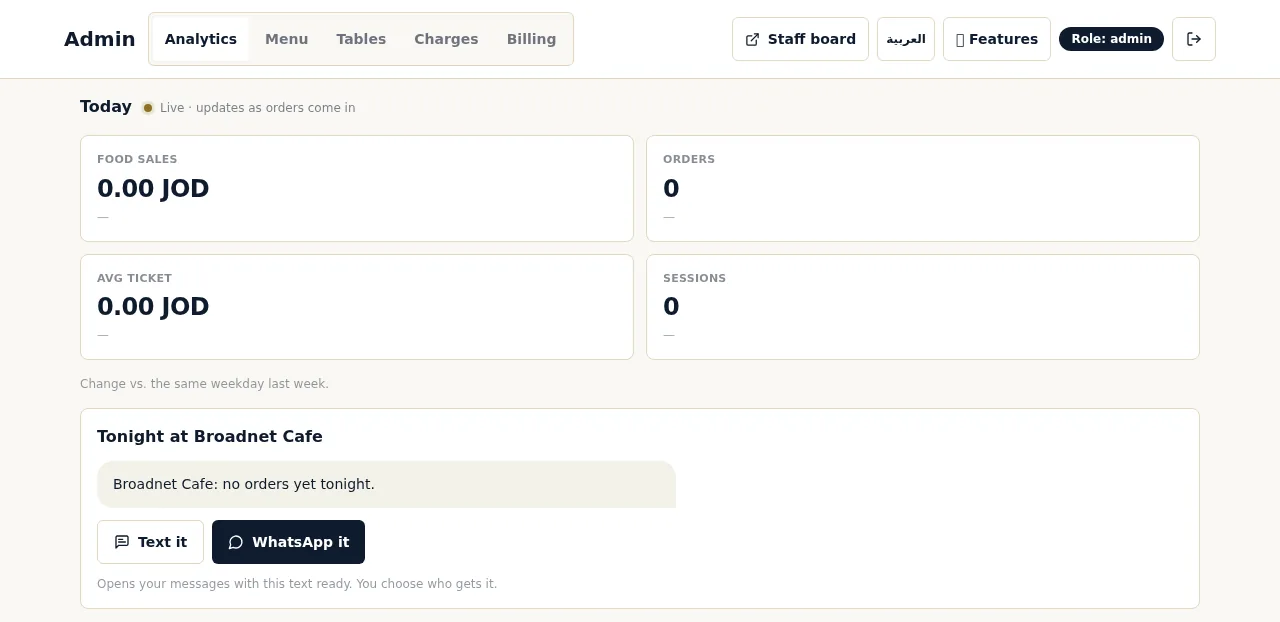
Two more numbers are worth a glance each week. The owner reports show a scanned, chatted and ordered funnel, which tells you how many guests who scan go on to order. They also list what guests asked for that isn’t on the menu and the questions the chat couldn’t answer, which is a to-do list for your menu text. And on any night, the “Tonight” summary compares today with the same weekday last week; you can send it to yourself or a partner by text or WhatsApp.
Keep expectations about adoption realistic. In the National Restaurant Association’s 2024 survey, 48% of full-service diners said they would order by QR code, from 69% of Millennials down to 21% of Boomers (NRA Restaurant Technology Landscape Report 2024, p. 6). Some guests will always want to order from a server, and that’s fine.
What happens in each week?
Short answer: a baseline before, then settle in, measure, stress-test, decide.
Baseline (the week before go-live). Measure seat-to-first-order time on your sample nights the way you serve today. Count how often guests have to wave for a server, if you can. Ask staff the five feedback questions about the current way of working, so you have something to compare with.
Week 1: settle in. Expect friction. Fix set-up issues first: where the kitchen screen sits, who watches the floor screen, who confirms each table’s first order. In WaiterPilot the first order at each table waits for a staff member to tap Confirm; after that, new orders from that table go straight to the kitchen until staff close the table. Decide when sales get rung into your till, because there’s no POS connection. Measure, but don’t judge yet.
Week 2: measure a normal week. Run the sample windows exactly as in the baseline. This is the first fair comparison. Read the “questions it couldn’t answer” list and fix the menu text it points to.
Week 3: stress-test. Watch your busiest nights. Check how fast first orders are confirmed when the room is full, and how often waiter calls sit long enough on the floor screen to change color. Run three drills with staff: a dish sells out mid-service (the owner or manager marks it sold out from their phone and the chat stops offering it right away), a first order that looks wrong (staff can reject it), and an allergy question (the chat gives what the menu says and asks the guest to confirm with staff; staff always have the final word).
Week 4: decide. Run the sample windows one more time, collect the last staff sheet, fill in the scorecard below, and hold a 20-minute review with your floor lead and kitchen lead before the 30 days end.
The staff feedback sheet
Ask these five questions at the end of each week, scored 1 (strongly disagree) to 5 (strongly agree), plus one open question:
- I always knew which orders were waiting for me.
- Guests got help faster when they needed it.
- I spent less time walking orders to the kitchen.
- The kitchen got clearer tickets than before.
- I’d want to keep this system.
- What one thing would you change?
Keep the sheets anonymous if you can. A score that rises from week 1 to week 4 usually means friction fading; a score that falls means a real problem.
The scorecard
The targets in this table are an example we made up for Casa Olivo (an example, not a customer). They are not WaiterPilot results or benchmarks. Set your own from your baseline.
| Measure | Baseline | Week 2 | Week 3 | Week 4 | Casa Olivo’s target (example) | Met? |
|---|---|---|---|---|---|---|
| Median time from seat to first order, Friday 7 to 9 pm (minutes) | At least 3 minutes faster than baseline | |||||
| Median waiter-call answer time (minutes) | n/a | Under 2 minutes | ||||
| Waiter calls left waiting 10 minutes or more | n/a | None on sample nights | ||||
| Median time to staff confirm of first orders (minutes) | n/a | Under 2 minutes at peak | ||||
| Share of tables ordering by chat on sample nights | n/a | Set from week 2, then hold or grow | ||||
| Staff score, question 5 “I’d want to keep this” (average of 1 to 5) | 4 or higher | |||||
| Guests chatting in a language other than your menu’s | n/a | Note it; no target | ||||
| Questions the chat couldn’t answer, fixed in the menu | n/a | Every recurring one fixed |
How Casa Olivo would fill in the seat-to-first-order line, with made-up numbers to show the arithmetic only: 15 tables sampled each Friday; at baseline the median is 11 minutes; in week 4 it’s 7 minutes. That’s 4 minutes faster, so the target of at least 3 minutes is met. Use the median, not the average, so one slow table doesn’t swing the result.
How do you make the go or no-go decision?
Short answer: count the targets met, then let staff break the tie.
| Result on day 30 | Decision |
|---|---|
| Most targets met and staff score 4 or higher | Go |
| Most targets met but staff score below 3 | Fix what staff name first; if the vendor allows, run the review again before paying |
| Speed targets missed but staff and guests like it | Look for a set-up cause (screen placement, who confirms) before deciding |
| Few targets met and staff score below 3 | No-go |
| The deal-breaker is something the product doesn’t do | No-go, and choose a tool that does it |
Be honest about deal-breakers. WaiterPilot has no POS or kitchen-printer connection, and it takes no payment: guests see a live bill and split it, then pay your staff. If during the trial you found that re-keying orders into the till is too much, or that you really need guests to pay at the table, that’s a clear no-go, and a POS-native or pay-at-table tool is the better fit. Our nightly till reconciliation checklist helps you count the re-keying time.
Don’t decide on sales alone. Four weeks is short, and sales move with weather and events. The best study of tabletop ordering found only about a 1% effect on checks and about 10% shorter meals (Tan and Netessine, Management Science, as reported by Restaurant Technology News, 2019); the check size post explains why. Speed and workload are the fairer test.
What does it cost if you say go, or no?
Short answer: nothing for the 30 days; $200 per location per month after that if you keep it; and no contract either way.
| WaiterPilot | |
|---|---|
| First 30 days | Free |
| Setup, menu loading, QR cards, staff training | Free, no setup fee |
| After 30 days, if you keep it | $200 per location per month, or $2,000 per location per year paid annually |
| Commission on your orders | 0% |
| Contract | None |
The full offer is on the pricing page.
What to do next
Before you start any trial, fill in the baseline column. Pick your sample nights, name the person who keeps the log, and write your targets into the scorecard. If you want to see the screens your staff would use first, try a sample order, read how it works, and go through the onboarding checklist and the buyer’s checklist. For your staff’s first week, see how to train staff on a new ordering board.
Questions readers ask
What should I measure during a restaurant ordering trial?
Five things, the same way every week: time from seat to first order, how fast waiter calls are answered, how fast orders are confirmed by staff, what staff say about the system, and the language mix of your guests. Compare each with a normal week measured before the trial.
How do I measure time from seat to first order?
By hand. Have the host write down when each sampled table sits, then note when that table's first order appears on the staff board or in the server's notepad. Sample the same nights each week, for example 15 tables between 7 and 9 pm on Friday.
What does WaiterPilot's 30-day trial include?
30 days free, no setup fee and no contract. Menu loading, QR cards and staff training are free. If you keep WaiterPilot after that, it is $200 per location per month, or $2,000 per location per year.
What if staff don't like the new system?
Take it seriously. Ask the same questions every week to see whether the dislike is first-week friction or a real problem, and fix set-up issues such as screen placement before judging. If staff still find it slower by week four, that is a valid no-go.
Can I judge the trial on sales?
Be careful. Four weeks is short, and sales move with weather, events and season. The best study of tabletop ordering found only about a 1% effect on checks, so judge the trial mainly on speed, workload and how guests and staff respond.
Sources
- Restaurant Technology Landscape Report 2024, National Restaurant Association, 2024 (checked 2026-10-15)
- Research: tabletop technology improves sales 1% per check, reducing meal duration 10%, Restaurant Technology News (reporting Tan and Netessine, Management Science), 2019-07 (checked 2026-10-15)