Running service
How to set up QR table ordering in two weeks: a checklist
A day-by-day plan from first call to first service: menu, menu check, bill charges, QR cards, staff roles, a test night and a soft launch, plus what slows it.

WaiterPilot Operations
Updated , 8 min read

The short answer
Plan two weeks: roughly one for the menu and one for the floor. Send the menu in the first days, check every price, choice and allergen line, set bill charges and table names, print QR cards, then train staff and run a test night before a soft launch. With WaiterPilot, most restaurants are live within two weeks of the first call, and setup is free.
Key points
- Most of the two weeks goes into the menu: loading it, then checking every price, required choice and allergen line, because the chat answers only from it.
- Decide the floor rules before training: who confirms first orders, who watches each screen and when sales go into the till.
- Run a test night with your own staff, covering every table and every exception, before guests see a QR code.
- Soft launch on a quiet service and keep the printed menu on the table; in a 2024 NRA survey, 48% of full-service diners said they would order by QR code.
- With WaiterPilot, setup, menu loading, QR cards and staff training are free, and there is no hardware to buy.
On this page
You can set up QR table ordering in about two weeks if you treat it as two jobs: one week for the menu and one for the floor. Send your menu in the first days, check every price, choice and allergen line, set your bill charges and table names, and print QR cards. Then decide who does what, train staff, run a test night and soft launch on a quiet service. With WaiterPilot, most restaurants are live within two weeks of the first call, and setup is free.
Below is a day-by-day plan, what to send on day one, what slows setups down, and how to run the test night. Most of it applies to any QR ordering tool.
What has to be done before guests can order?
Short answer: six things, and only two of them are technical.
| Workstream | Done when | Who owns it | Usual blocker |
|---|---|---|---|
| Menu | Every dish, price, choice and allergen line is checked against the kitchen | Owner or head chef | Nobody has time to read it |
| Settings | Bill charges, language and guest-facing options match how you run today | Owner | Unsure how tax and service charge should show |
| Tables and QR cards | Every table has a card that opens the right table | Owner, with us | Table names that don’t match the floor plan |
| Staff screens and roles | A name next to each screen and each job | Manager | Not decided until the first night |
| Training | Every person on the first shift has walked an order through | Manager, with us | Training booked on the busiest day |
| Test night | Every table and every exception tried once | Whole team | Skipped because “it looked fine” |
The menu is the long pole. A QR ordering chat can only answer from what your menu says, so a missing side or a wrong price becomes a wrong answer to a guest.
The two-week plan, day by day
Short answer: menu first, floor second, guests last. This is an example schedule. Your dates depend mostly on how fast the menu check goes, and setups can be shorter or longer than this.
| Day | You | The WaiterPilot team | Done when |
|---|---|---|---|
| 1 | First call: tables, menu, how orders reach your kitchen and till today, your guests’ languages | Explains the setup and what you’ll need to decide | You know who owns each workstream |
| 1 to 2 | Send the menu as a PDF or photos, your table names, required choices, allergen information you’ve confirmed | Collects it | Nothing is missing |
| 3 to 5 | Nothing | Loads your menu | The draft menu is ready for you |
| 5 to 7 | Check the loaded menu line by line | Fixes what you find | You’d be happy for a guest to read every line |
| 6 to 7 | Choose settings: bill charges, Arabic dialect, the waiter’s name and house style, prices shown or hidden, optional calls | Helps you set them | A test bill looks like your real bill |
| 8 | Confirm table names; print QR cards and the staff guide | Supplies QR cards | Every table has a card |
| 8 to 9 | Set up staff phones or tablets; name a person for each screen; agree the till rule | Answers questions | A name is next to every job |
| 10 | Staff training | Trains your team | Everyone has walked one order through |
| 11 | Test night with your own staff | Supports you | Every table and exception has been tried |
| 12 | Fix the list from the test night | Fixes menu and settings | The list is empty |
| 13 to 14 | Soft launch: a quiet service or one section | Checks in | Guests have ordered and the till matches |
Setup, menu loading, QR cards and staff training are free. Ask on the first call when your 30 free days start, so the trial covers real service rather than setup.
What do you need to send on day one?
Short answer: your menu and your table list. Everything else follows from them.
- The menu, as a PDF or clear photos of every page, with prices. We load it for you; a person does that, not the product, and you check it before going live.
- The choices each dish needs, and which ones are required. Required choices (size, side, flavour) must be picked before an order can be confirmed.
- Allergen information your kitchen has confirmed. Only that. When the menu doesn’t say, the chat tells the guest to ask staff, which is the safe default.
- Arabic dish names, if you have them. The menu editor shows how much of your menu has Arabic text; anything without it shows to Arabic guests in English.
- Your table names as your staff say them: T1, Terrace 4, Bar 2.
- Dish photos, if you have them.
What should you check in the loaded menu?
Short answer: everything the chat could repeat to a guest.
- Every dish name and price, against the printed menu.
- Every required choice: a steak that needs a cooking level, a meal that needs a side.
- Extras and their prices.
- Descriptions that answer the common questions: spicy, vegetarian, what comes with it.
- Allergens, only where your kitchen has confirmed them. Blank is better than a guess.
- Dishes you don’t serve every day, so you know which to mark sold out before service.
Then the settings. Bill charges (tax and any service charge or gratuity) are set by you and shown on the guest’s live bill. The Arabic dialect sets the Arabic the chat uses (Jordanian, Lebanese, Egyptian, Gulf, Saudi or Modern Standard Arabic); guests who write in other languages are still answered in theirs. The waiter’s name and house style shape tone only and never change your menu, prices or what a guest can order. You can hide prices from guests, and switch on optional calls for shisha coals and valet, each with its own screen. Our onboarding checklist has the full list, with screenshots.
What slows a setup down?
Short answer: decisions, not software.
| What happens | What it costs | The fix |
|---|---|---|
| The menu changes during setup | A second round of loading and checking | Freeze the menu for two weeks, or send changes in one batch |
| Prices or choices missing from the PDF | Questions back and forth | Send the version your servers actually use |
| Nobody confirms allergens | The menu can’t go live with guesses | Leave unconfirmed allergens blank; the chat sends those questions to staff |
| Table names don’t match the floor | Staff can’t find “Table 7” | Name tables the way staff already say them |
| No one owns the till | Sales missed or entered twice | Decide: enter at confirm, or at the check |
| Training on a Friday | Half the team misses it | Train before a quiet service |
| Weak mobile signal in part of the room | Guests can’t load the menu | Put your guest Wi-Fi details near the QR card |
How do you run the test night?
Short answer: an hour with your own staff as guests, trying every table and every exception once.
- Scan every QR card and check it opens the right table.
- Order a dish with a required choice and a note, and tap Confirm.
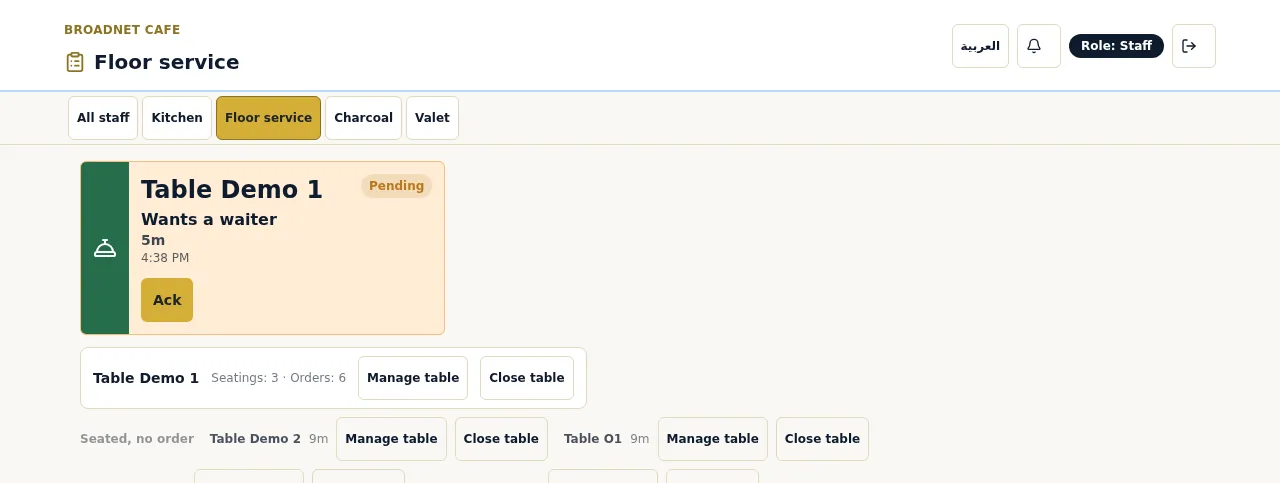
- Confirm it on the main board and check the kitchen screen shows the dish, the choice and the note, without prices.
- Mark it Served and check the guest’s phone follows.
- Try the exceptions: reject a first order; cancel one from the guest phone while it’s awaiting staff; mark a dish Out of stock in the kitchen and check it leaves the bill; mark a dish sold out from the owner’s phone and ask the chat for it.
- Call a waiter and ask for the check. Check both reach the floor screen and that the check request shows cash or card.
- Open the live bill and check your tax and service charge.
- Close the table and compare what you rang into the till with the live bill.
Write down every surprise. That’s day 12’s list.
Should you soft launch on a few tables first?
Short answer: yes, on a quiet service, with the printed menu still on the table.
Not every guest will want to order from a phone. In the NRA’s 2024 survey, 48% of full-service diners said they would order with a QR code, ranging from 69% of Millennials to 21% of Boomers (NRA, 2024). So QR ordering runs alongside your printed menu, and servers still take orders from guests who prefer it. A soft launch on a Tuesday lunch, or on one section, lets staff learn the board without a full room watching.
What if you choose a different QR ordering system?
Short answer: the plan is the same, plus whatever the tool needs from your POS.
POS-built QR ordering adds its own setup steps. Toast tells restaurants to “designate an auto-firing device in the restaurant” so Mobile Order & Pay orders reach the kitchen, and to set up tables and QR signs in Toast Web (Toast support, as published on 15 Oct 2026). Square lists QR code ordering on its Plus ($49 a month per location) and Premium ($149) restaurant plans, not on Free (Square pricing, as published on 15 Oct 2026). If you already run one of them, their own QR ordering may be the simpler setup. Add printer routing, payment and POS menu sync to the plan above.
WaiterPilot skips those steps because it has no POS or printer connection and takes no payment: staff work from its screens on phones or tablets you already have, and payment happens with your staff. The trade-off is that someone enters each order in your till. Our guide to reconciling QR orders with your till each night works out what that costs.
What does setup cost with WaiterPilot?
Nothing. Setup, menu loading, QR cards and staff training are free, there’s no hardware to buy, and the first 30 days are free. Then it’s $200 per location per month, or $2,000 per location per year, with 0% commission and no contract. Details are on the pricing page.
What to do next
Start the menu check now, whatever tool you choose: it’s the slowest step and it improves your printed menu too. Then read how to train staff on a new ordering board for day 10, and try a sample order to see what your team will learn.
Questions readers ask
How long does it take to set up QR table ordering?
It depends on the tool and on how fast your menu check goes. With WaiterPilot, most restaurants are live within two weeks of the first call; the time goes into loading and checking your menu, QR cards and staff training.
What do I need to send to get started?
Your current menu as a PDF or photos, with prices, sides and cooking choices, any allergen information your kitchen has confirmed, and a list of your table names. We load the menu for you and you check it before going live.
Do I need new hardware or a new POS?
Not for WaiterPilot. Guests use their own phones and staff use phones or tablets you already have. There's no POS or printer connection, so staff enter sales in your till by hand.
Should I launch on every table at once?
Usually not. Start with a quiet service or one section, with the printed menu still on the table, then add the rest of the room once staff are comfortable.
What does setup cost with WaiterPilot?
Nothing. Menu loading, QR cards and staff training are free, and the first 30 days are free. Then it's $200 per location per month, or $2,000 per location per year, with 0% commission and no contract.
What usually delays a launch?
An unchecked menu: missing prices, unclear required choices or allergens nobody has confirmed. The second most common delay is not deciding who confirms first orders and who enters sales in the till.
Sources
- Restaurant Technology Landscape Report 2024, National Restaurant Association, 2024 (checked 2026-10-15)
- Toast Mobile Order & Pay FAQs, Toast, 2026-09-17 (checked 2026-10-15)
- Square for Restaurants pricing (US), Square, 2026 (checked 2026-10-15)