Running service
Are QR menus accessible? Older guests, low vision and guests without a phone
Not for every guest. Keep the printed menu, make the card easy to read, test with a screen reader, and keep a person one wave away. A checklist for restaurants.

WaiterPilot Operations
Updated , 9 min read
The short answer
Not for every guest on their own. Guests with low vision, screen-reader users, many older guests and anyone without a working phone can be shut out by a QR-only menu. Keep the printed menu on offer, make the table card large and high-contrast, test the menu with a screen reader, and make sure staff take orders the usual way.
Key points
- Only 21% of baby boomers would order by QR code at a full-service restaurant, against 69% of millennials (NRA, 2024).
- A QR menu should be one way to order, never the only one: keep the printed menu and a server.
- The table card itself is the first accessibility test: large type, strong contrast, plain words, and a line saying a printed menu is available.
- Ask any vendor for its accessibility conformance report and test the guest screen yourself with VoiceOver or TalkBack.
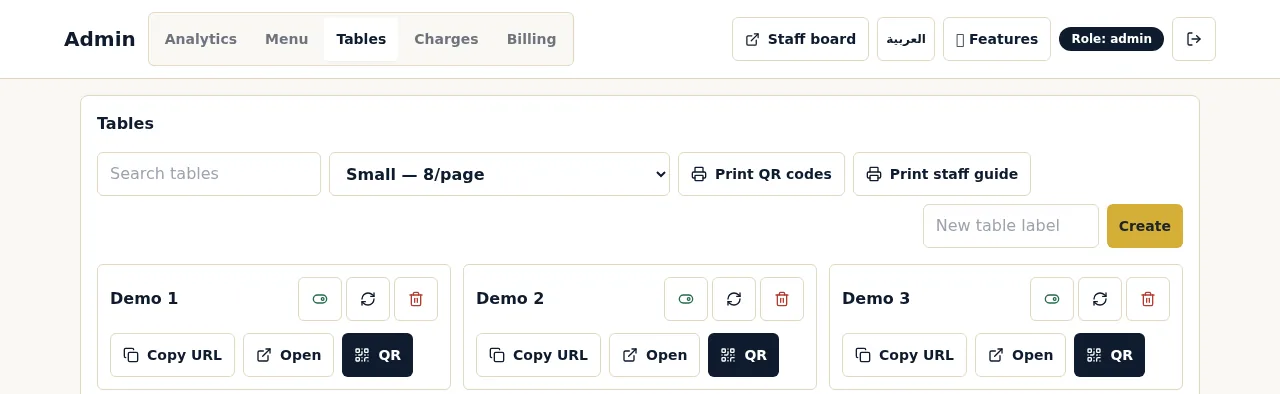
- In WaiterPilot the human path is staff: guests can call a waiter from the phone, and staff can add dishes for a table that ordered on paper.
On this page
A QR menu is not accessible to every guest on its own. Guests with low vision, guests who use screen readers, many older guests and anyone whose phone is dead or missing can be shut out of a QR-only menu. The fix isn’t to drop QR codes; it’s to treat the code as one way to order. Keep the printed menu on offer, make the table card easy to read, test the digital menu with a screen reader, and make sure a member of staff will take an order the usual way.
This post covers who has trouble with QR menus and why, a checklist for the card and the menu page, how to test with a screen reader in ten minutes, and what the human path looks like in WaiterPilot. It isn’t legal advice: if you need to know what accessibility law requires where you operate, ask a lawyer.
Who has trouble with QR menus?
Short answer: older guests most of all, plus guests with low vision or limited dexterity, screen-reader users, and anyone without a working phone at that moment.
The survey data is clear about age. In the National Restaurant Association’s 2024 survey of full-service diners, 59% would open a menu by QR code and 48% would order with one. By generation, 69% of millennials would order by QR code, against 21% of baby boomers (NRA, 2024).
Table: share of full-service diners who would order by QR code, by generation (NRA Restaurant Technology Landscape Report, 2024)
| Generation | Would order by QR code | Prefer traditional service from employees |
|---|---|---|
| Gen Z | 60% | not quoted here |
| Millennials | 69% | 47% |
| Gen X | 52% | not quoted here |
| Boomers | 21% | 88% |
| All full-service diners | 48% | 64% |
Other surveys point the same way. A William Blair survey reported by Restaurant Dive found “over 45% of consumers” uncomfortable using QR codes to view menus, order and pay, rising to 65% among consumers over 60 (Restaurant Dive, 2023; the sample size wasn’t stated). A Cornell study of tabletop devices found that “about one-quarter of all guests do not like to use the technology” (Susskind and Curry, 2016).
Age is only part of it. The barriers are specific:
| Guest | Where a QR menu fails them | What helps |
|---|---|---|
| Low vision | Small card text, small screen text, low contrast, menus uploaded as photos that can’t be zoomed cleanly | Large print menu, high-contrast card, a menu page that respects the phone’s text size |
| Screen-reader user (blind or very low vision) | Can’t find the code on the table; menu is an image with no text; unlabelled buttons | Staff point out the code or read the menu; a text-based menu page with labelled buttons |
| Limited dexterity or tremor | Small tap targets, fiddly scrolling, drag-and-drop | A server; larger buttons; fewer steps to order |
| Older guest unfamiliar with QR | Doesn’t know to open the camera, or worries about payment details | A printed menu offered at once, without having to ask |
| No phone, dead battery, no data | Can’t open the menu at all | Printed menu and a server, always |
| Guest who reads a different language | Can read neither the card nor the menu | Plain card wording; a chat or translated menu; a server |
What makes a QR table card accessible?
Short answer: big, plain, high-contrast, placed where a seated guest sees it, and honest that paper is available.
The card is the first thing every guest meets, and the easiest part to fix. Most problems come from cards designed to look nice rather than to be read across a table in dim light.
- One code per table, upright and facing the seats. Flat cards under glasses and plates get missed. Each WaiterPilot table has its own QR code, and the table cards print in three sizes; use the largest your tables allow.
- Large type and strong contrast. Dark text on a light background, no thin script fonts, no text over a photo.
- Say what the code does. “Scan to see the menu and order from your phone.”
- Say no app is needed. With WaiterPilot the menu opens in the phone’s browser, with no app to download and no sign-up.
- Say paper is available. “Prefer a printed menu? Just ask.” This one line matters most for the guests in the table above.
- Put the table name on the card. It helps staff and guests talk about the same table.
- Keep the code clear of glare and scratches. Glossy laminate under a pendant light can stop a scan. Test each card from a seated position.
- Check every card weekly. A card that doesn’t scan is worse than no card.
Our QR code table cards guide goes into placement, sizes and upkeep.
What makes the menu page itself accessible?
Short answer: real text instead of an image, labelled buttons, readable sizes, and as few steps as possible to order.
You may not control how a vendor builds its menu page, but you can test it and you can choose. Look for these, and ask any vendor about each:
- Text, not a picture of a menu. A menu uploaded as a photo or image-only PDF is hard to zoom cleanly and screen readers often can’t read it. A web page with the dishes as text works far better.
- It follows the phone’s text size. Turn up the text size in the phone’s settings and reload. Does the menu get bigger, or stay tiny?
- Buttons with names. A screen reader should announce “Add”, “Confirm” or “Call waiter”, not “button, button, button”.
- Big enough tap targets. Buttons you can hit with a thumb on the first try.
- No time limits. A guest who reads slowly shouldn’t lose their cart.
- Few steps. Every extra screen is a place to give up.
Then ask the vendor directly: “Do you publish an accessibility conformance report, and against which standard?” The common reference is the Web Content Accessibility Guidelines (WCAG), published by the W3C. A vendor that has tested against it can say so and show you the report.
We don’t publish a WCAG or other accessibility conformance claim for WaiterPilot. What we can describe is how the guest side works. Guests can type questions in their own words instead of hunting through categories, and the chat answers from your menu. A dish name in the chat opens the dish photo. Test it with your own phones and guests, using the method below, before you rely on it.
How do you test a QR menu with a screen reader?
Short answer: turn on VoiceOver or TalkBack, close your eyes, and try to order one drink. It takes ten minutes.
You don’t need an expert for a first pass. You need two phones and a little patience.
- Turn on the screen reader. On an iPhone: Settings, Accessibility, VoiceOver. On Android: Settings, Accessibility, TalkBack (the path varies a little by phone). Learn the basic gesture first (swipe right to move to the next item, double-tap to activate).
- Open the menu from the table card. Can you open the camera and scan with the screen reader on? Many blind guests will ask staff for help here, so note how your staff would help.
- Find one drink. Does the screen reader read dish names and prices? Or does it say “image”?
- Add it and open the cart. Are the buttons announced with names?
- Confirm the order. Can you tell that it went through?
- Call a waiter. Can you find the button?
- Turn the text size up to the largest setting and repeat steps 3 to 5 with the screen reader off.
- Write down every place you got stuck. Send the list to your vendor and ask what they will fix and when.
If you get stuck at step 3 every time, that guest will need a person, and that’s fine, as long as your staff know it.
What is the human path in WaiterPilot?
Short answer: your staff, with two tools that keep a paper order and a phone order on the same table.
WaiterPilot is built to sit alongside your printed menu and your servers, not in place of them. For guests who can’t or won’t use the phone:
Table: how a guest who doesn’t use the phone is served at a WaiterPilot table
| Situation | What happens |
|---|---|
| Guest has no phone or a dead battery | They order from the printed menu with a server. Staff can add dishes for the table from the staff screen |
| Mixed table: two order by phone, one on paper | Staff add the paper order to the same table, so the live bill shows the whole table |
| Guest using the phone wants a person | “Call waiter” on the phone; it appears on the floor screen within seconds |
| Guest wants the check without hunting for staff | “Check please” on the phone, or ask a server as usual |
| Guest who chose phone ordering gets stuck partway | They call a waiter from the screen, or wave, and a server takes over |
Every phone at the table sees the same live bill, and guests can split it evenly or see just their own share. Payment still happens with your staff; WaiterPilot takes no payments. More on the waiter call and live bill page.
A worked example: one Saturday lunch at Casa Olivo
Casa Olivo is a fictional restaurant (an example, not a customer). The table mix below is an assumption to show the routine, not a measurement.
Casa Olivo has 20 tables. Over a Saturday lunch, the owner expects tables like these:
| Table | Who | How they order |
|---|---|---|
| 4 | Couple in their 70s | Server hands them printed menus as they sit, without being asked; orders taken on the notepad and added to the table on the staff screen |
| 7 | Family of five, one teenager with the phone | Phone order; grandmother orders from the printed menu with the server, added to the same table |
| 11 | Guest with low vision | Server reads the specials aloud and mentions the large-print menu; guest orders in person |
| 15 | Two colleagues | Phone order, check request from the phone |
The routine that makes it work is one sentence in the pre-shift briefing: “Offer a printed menu to every table that hasn’t picked up a phone within a minute or two of sitting down.” No guest has to ask for paper, and no guest is left staring at a card.
Is a tablet or kiosk more accessible than a guest’s phone?
Short answer: it solves the “no phone” problem, but not the others.
A tablet on the table means every guest has a screen, whatever their phone. It doesn’t make small text bigger or add labels for a screen reader, and the guest’s own phone already has their text size and screen-reader settings switched on. Compare the hardware costs in kiosks, table tablets or guests’ phones. For most table-service restaurants, a printed menu plus a server is the cheapest accessible fallback there is.
The accessibility checklist
- The printed menu stays, and staff offer it without being asked.
- A large-print copy of the menu is kept at the host stand.
- Table cards: large type, strong contrast, plain words, “printed menu available”, table name.
- Every card scans from a seated position, checked weekly.
- The menu page is text, not an image, and follows the phone’s text size.
- You have tested ordering one drink with VoiceOver and TalkBack.
- Staff can add dishes for a table that ordered on paper.
- Staff know the waiter-call screen and answer calls quickly.
- You’ve asked your vendor for an accessibility conformance report.
What to do next
Run the ten-minute screen-reader test on whatever QR menu you use today, and add “printed menu available” to your table cards. If you’re comparing ordering tools, read do customers like QR code menus? for the survey picture, and see the restaurant QR buyer’s checklist for the questions to ask every vendor. To test WaiterPilot’s guest screen on your own phone, try a sample order. It costs $200 per location per month after 30 days free; see pricing.
Questions readers ask
Are QR code menus accessible?
Not to every guest by themselves. A QR-only menu shuts out guests without a working smartphone and can be hard for guests with low vision or who use screen readers. Keep a printed menu available and staff ready to take orders, and test the digital menu with a screen reader.
How do you make QR codes accessible?
Print the code large enough to scan from a seat, on a card with large, high-contrast text that says what the code does, that no app is needed, and that a printed menu is available. Place it where a seated guest can see it without moving things, and check every card scans.
What if a guest doesn't have a smartphone?
They order the usual way: printed menu, server, notepad or POS. With WaiterPilot, staff can add dishes for that table from the staff screen, so everything the table orders still shows on one live bill.
Do older people like QR menus?
Fewer do. In the National Restaurant Association's 2024 survey, 21% of baby boomers would order by QR code at a full-service restaurant, against 69% of millennials, and 88% of boomers preferred traditional service from employees.
Do screen readers work with QR menus?
It depends on how the menu page is built. A PDF photo of a menu is often unreadable to a screen reader, while a properly built web page can be. Test with VoiceOver on an iPhone and TalkBack on Android before you rely on any QR menu.
Is WaiterPilot WCAG compliant?
We don't publish a WCAG or other accessibility conformance claim for WaiterPilot. Test the guest screen with your own devices and guests, keep your printed menu alongside it, and keep staff available to take orders in person.
Sources
- Restaurant Technology Landscape Report 2024, National Restaurant Association, 2024 (checked 2026-10-15)
- 47% of consumers uncomfortable using QR codes in restaurants (William Blair survey), Restaurant Dive, 2023-04-19 (checked 2026-10-15)
- The Influence of Table Top Technology in Full-service Restaurants (Susskind and Curry), Cornell Hospitality Report, 2016-10 (checked 2026-10-15)