Running service
QR ordering analytics: which numbers actually help an owner
Scans, orders, busy hours, top dishes, unanswered questions and service times: which QR ordering numbers lead to a decision, and which only look good.

WaiterPilot Operations
Updated , 9 min read
The short answer
The useful numbers are the ones that change a decision: how many people who scan go on to order, when orders arrive, which dishes sell, what guests asked for that you don't serve, which questions went unanswered, and how long staff take to confirm orders and answer calls. A scan count on its own tells you very little.
Key points
- A number is worth watching only if you can name the decision it changes: the menu, the rota, the prep list or the training.
- Scan counts measure interest, not service; the drop from scanning to ordering is where the useful questions start.
- What guests asked for that isn't on the menu, and the questions the chat couldn't answer, are the cheapest menu research a restaurant can get.
- Compare today with the same weekday last week, not with yesterday, because Fridays and Tuesdays are different restaurants.
- WaiterPilot's owner page splits chats only into Arabic and other languages, takes no payments and has no published export, so some questions need your till.
On this page
The QR ordering numbers that help an owner are the ones that change a decision. How many people who scan go on to order. When orders arrive. Which dishes sell. What guests asked for that you don’t serve, and which questions went unanswered. How long staff take to confirm orders and answer calls. A scan count on its own tells you very little: it measures curiosity, not service.
The test for every number in this post is the same: name the decision it changes. If you can’t, stop looking at it.
What is QR menu analytics, and what does it usually measure?
Short answer: the reporting your QR tool gives you, which ranges from a scan counter to a picture of how service ran.
A QR menu that only shows a PDF can count scans, and not much else. A QR ordering tool knows more: what was ordered, when, and how long each step took. A chat-based ordering tool knows one more thing that menus don’t, which is what guests asked in their own words. That last category is where the best menu research sits, and most owners never see it.
Before you judge any tool’s reports, keep one fact in mind. Not every guest will order from their phone. In the National Restaurant Association’s 2024 survey, 48% of full-service diners said they would order by QR code, and only 21% of Boomers would (NRA, 2024). Your reports describe the guests who used the tool, not your whole dining room.
Which numbers actually help a restaurant owner?
Short answer: the ones on this list, each tied to a decision. The right-hand column matters as much as the left.
| Number | What it tells you | Decision it supports | What it can’t tell you |
|---|---|---|---|
| Scanned, chatted, ordered | Where guests drop off between curiosity and an order | Fix the step where most people stop: unclear cards, unanswered questions, missing dishes | Why a guest who didn’t order chose not to |
| Today vs the same weekday last week | Whether this Friday was busier or quieter than last Friday | Whether a change you made did anything | Whether the weather, a game or a holiday did it instead |
| Busy hours | When orders actually arrive, hour by hour | Who you roster, and when the kitchen preps | Covers who ordered from a server instead |
| Top dishes | What sells through the tool | Prep quantities, what to feature, what to drop | Margin, which needs your costs |
| Asked for, not on the menu | Dishes, drinks and options guests wanted | Menu additions, specials, what to stock | Whether enough guests would actually pay for it |
| Questions the chat couldn’t answer | Gaps in your menu text | Which descriptions, ingredients or options to add | Questions guests never typed |
| Time to staff confirm | How long first orders wait for a person | Who confirms on busy nights, and the backup | How long guests waited before ordering |
| Kitchen to served | How long dishes take from the kitchen to the table | Prep, station load, runner cover | Why a single ticket was slow |
| Time to answer waiter calls | How long guests wait for a person after calling | Floor cover and who watches the floor screen | Guests who waved instead of calling |
| Language mix | How many chats came in a language other than yours | How much translation work your menu deserves | Whether those guests felt well served |
Two numbers are missing on purpose. Total sales belongs to your till, which is the record your accountant uses. Average check is the number vendors like to quote, but it moves with season, price changes and party size, and the best peer-reviewed study found tabletop ordering raised checks by only about 1% while meals got about 10% shorter (Tan and Netessine, reported by Restaurant Technology News, 2019). We explain that study in does tabletop ordering increase check size?.
Is a scan count worth anything on its own?
Short answer: barely. It is the easiest number for any QR tool to show and the hardest to act on.
A scan means a phone opened your page. It doesn’t mean the guest ordered, liked the menu or got an answer. Scans also go up for reasons that have nothing to do with service: a busier night, a bigger party with four phones, a guest who scanned twice because the page was slow to load.
Scans earn their place only as the first step of a funnel. The question is not “how many scanned?” but “of those who scanned, how many ordered, and where did the rest stop?”
How do you read the scanned, chatted, ordered funnel?
Short answer: look for the biggest drop between two steps, then look for the reason in the other reports.
Casa Olivo is a fictional restaurant (an example, not a customer). The figures below are made up to show how to read a funnel; they are not WaiterPilot data.
| Step | Last Friday | This Friday | Share of scans, this Friday |
|---|---|---|---|
| Scanned | 110 | 120 | 100% |
| Chatted | 80 | 84 | 70% |
| Ordered | 70 | 66 | 55% |
More people scanned and chatted this Friday, but fewer ordered. The drop between chatting and ordering grew from 10 (80 − 70) to 18 (84 − 66). That points at something in the conversation, so the owner opens two other reports:
- Questions the chat couldn’t answer: six guests asked whether the fish was grilled or fried, and the menu didn’t say.
- Asked for, not on the menu: five guests asked for a non-alcoholic spritz.
Neither number proves why orders fell. They give the owner two cheap things to try: add the cooking method to the fish description, and ask the bar whether a non-alcoholic spritz is easy to add. Next Friday’s funnel shows whether it helped. That is the whole method: a drop, a likely reason, a small change, and the same weekday next week.
What can “asked for but not on the menu” tell you?
Short answer: what your guests want, in their own words, before you spend anything on it.
When guests order by chat, they ask for things: oat milk, a half portion, a dish they had somewhere else, a kids’ option. Each request is a small signal. Over a few weeks, the repeated ones stand out.
Use it with care:
- Look for repeats, not one-offs. One guest asking for lobster is a wish. Twenty guests asking for a vegan main is a gap.
- Check whether the dish is really missing or just badly named. “Do you have a burger?” may mean your burger is listed under a name nobody searches for.
- Price the change before you make it. A request is interest, not a sale.
The questions the chat couldn’t answer work the same way for menu text. WaiterPilot answers from your menu, and when your menu doesn’t say, it tells the guest to ask a staff member. Every unanswered question is a line you can add to a description so the next guest gets an answer. Our guide to preparing your menu for digital ordering covers what to write.
Which service-speed numbers matter?
Short answer: the waits a person controls: confirming first orders, getting food from the kitchen to the table, and answering calls.
Ordering from the phone removes the wait for a server to come and take the order. What’s left are the steps a person still does. WaiterPilot’s owner page reports three of them: time to staff confirm, kitchen time and time to answer waiter calls. On the staff board itself, waiting orders and calls change colour at 1, 5 and 10 minutes, so the team sees delays during service and the owner sees the pattern afterwards.
Read them by hour, not by night. A good average can hide a terrible half hour at 8 pm. If time to confirm climbs every Friday between 7:30 and 8:30, the fix is a named backup confirmer for that hour, not a lecture for the whole team. For the other waits in a meal, our 9-point diagnosis of slow service gives a timing sheet. The rush-hour playbook sets out who does what when every table orders at once.
What does WaiterPilot’s owner page show, and what doesn’t it?
Short answer: the funnel, busy hours, top dishes, guest requests, unanswered questions, a language split and service times. Not payments, not guest profiles, and no published export.
What the owner page shows:
- Today against the same weekday last week.
- Busy hours and top dishes.
- What guests asked for that isn’t on the menu, and questions the chat couldn’t answer.
- The scanned, chatted and ordered funnel.
- A language split.
- Time to staff confirm, kitchen time and time to answer calls.
- A “Tonight at” summary for your restaurant that you can send by text or WhatsApp from your own phone. It opens your messages and you choose who gets it; nothing is sent automatically.
What it doesn’t do, and where to look instead:
| Question | Why WaiterPilot can’t answer it | Where to look |
|---|---|---|
| Which languages exactly? | The split is Arabic versus other languages only | Ask your floor team after service |
| How much did we take tonight? | WaiterPilot takes no payments and has no POS connection | Your till or POS |
| Who are our regulars? | Guests don’t sign up or give a name, phone number or email, and no guest profiles are built | Your reservation system or your staff |
| Can I download it into a spreadsheet? | We haven’t published a data export process yet | Ask us in writing if you need one |
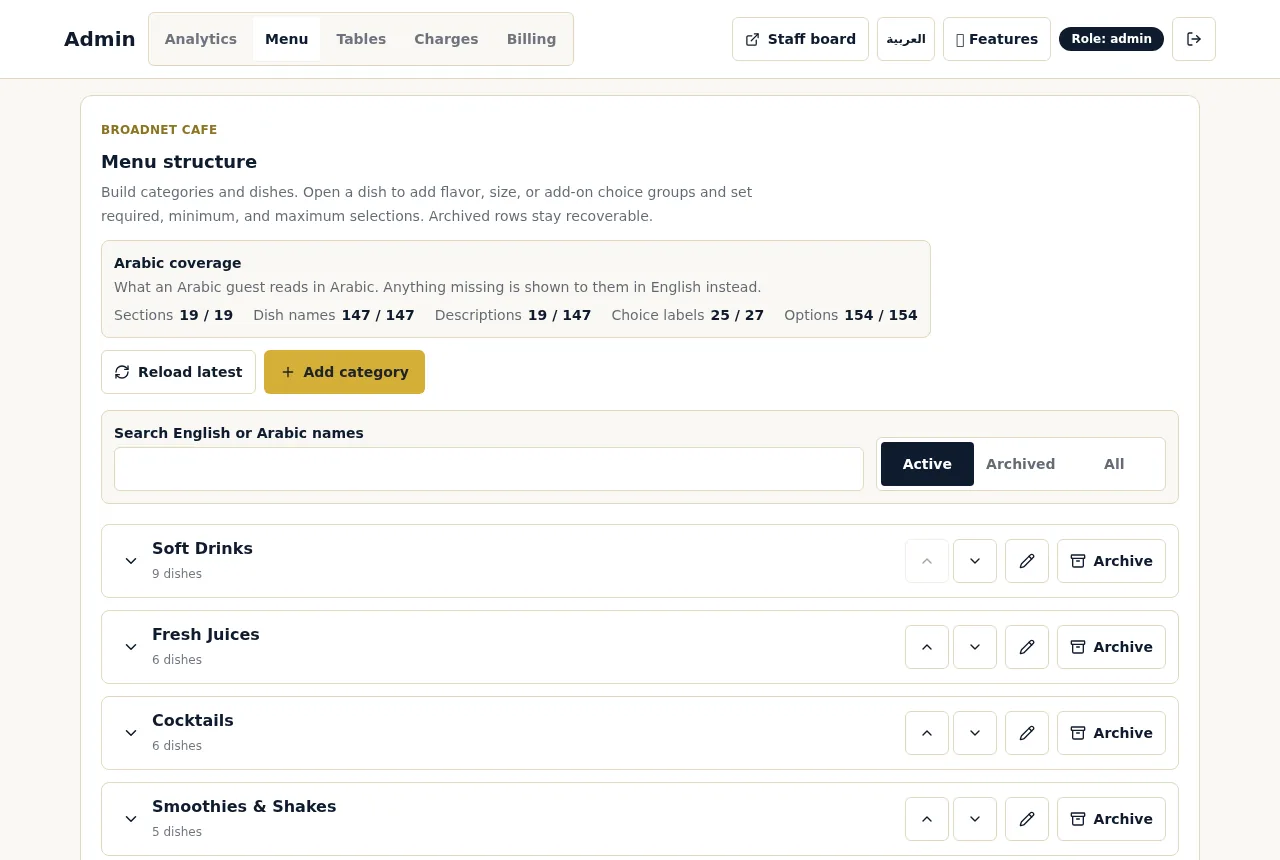
For restaurants that serve Arabic-speaking guests, one more owner screen matters: the menu editor shows how much of your menu has Arabic text, and anything missing is shown to Arabic guests in English. If your language split shows many Arabic chats, that coverage panel tells you what to translate first. Multilingual ordering explains how languages work across the chat, buttons and tickets.
How often should you look? A 15-minute weekly routine
Short answer: glance after busy services, and review properly once a week, on the same day.
- Funnel. Compare this week’s busiest night with the same night last week. Where is the biggest drop?
- Unanswered questions. Add the top three answers to your menu text.
- Asked for, not on the menu. Note anything that came up more than a few times. Decide yes, no or test.
- Top dishes. Check them against prep quantities and anything you ran out of. If a dish keeps selling out, mark it sold out early from your phone rather than disappointing late tables.
- Service times by hour. Find the worst hour of the week and name one change for it.
- Language mix. If it moved, check whether your menu text keeps up.
- Write down one change and look at the same numbers next week.
The routine works for any ordering tool that reports these numbers. If you are in a free trial, the same reports feed the go or no-go decision; how to judge a 30-day ordering trial gives the scorecard.
What to do next
Pick the three numbers from the first table that would change a decision in your restaurant this month, and ignore the rest until those are working. To see where the reports come from, read how WaiterPilot works, or try a sample order to see the guest side. If you are comparing tools, ask each vendor which of the ten numbers above it reports, and add the answers to your buyer’s checklist.
Questions readers ask
What is QR menu analytics?
It is the reporting a QR menu or ordering tool gives the owner: how often codes are scanned, what guests view or order, and when. With an ordering tool it can also include service times and what guests asked about. The value depends on whether each number leads to a decision.
What metrics should a restaurant track for QR ordering?
Start with six: the scan-to-order drop, busy hours, top dishes, what guests asked for that isn't on the menu, questions that went unanswered, and how long staff take to confirm orders and answer calls. Add the language mix if you serve many visitors.
Does QR ordering data show whether guests spend more?
Not on its own. A fair comparison needs the same nights before and after, from your till, and the best peer-reviewed study found tabletop ordering raised checks by only about 1%. Look at speed and service times first.
How often should I look at my ordering reports?
A quick look after busy services and a 15-minute review once a week is enough for most small restaurants. The weekly review is where menu and rota decisions get made.
Can I export WaiterPilot's analytics?
We haven't published a data export process yet. Owners see their reports on the owner page and can send a short 'Tonight at' summary by text or WhatsApp from their own phone. Ask us in writing if you need an export.
Does WaiterPilot show which languages guests use?
It splits chats into Arabic and other languages. It does not break the other languages down further. The menu editor separately shows how much of your menu has Arabic text.
Sources
- Restaurant Technology Landscape Report 2024, National Restaurant Association, 2024 (checked 2026-10-15)
- Research: tabletop technology improves sales 1% per check, reducing meal duration 10%, Restaurant Technology News (reporting Tan and Netessine, Management Science), 2019-07 (checked 2026-10-15)